Step-by-step guide on how to use the attendee hub
set up your profile visibility, access the attendee list, view your E-Ticket
Please note: Only registered delegates with no outstanding dues will be able to access the Attendee Hub.
A live snapshot of registered delegates and participating companies is available here.
Access
Upon completing your registration, you will receive a confirmation email. The Attendee Hub is accessible only via the unique link in your confirmation email. No username, password, or additional login is required.
If you need to resend the confirmation email, simply click on the arrow next to the "Register" button at the top of this page. Then, select the option to "Resend the confirmation email." A new window will prompt you to enter the email address you used during registration. Please provide the same email address to proceed. Once you submit the email address, you will receive a new email with a magic link. Clicking on this link will instantly grant you access to the attendee hub, where you can explore event-related resources and get access to the attendee list.
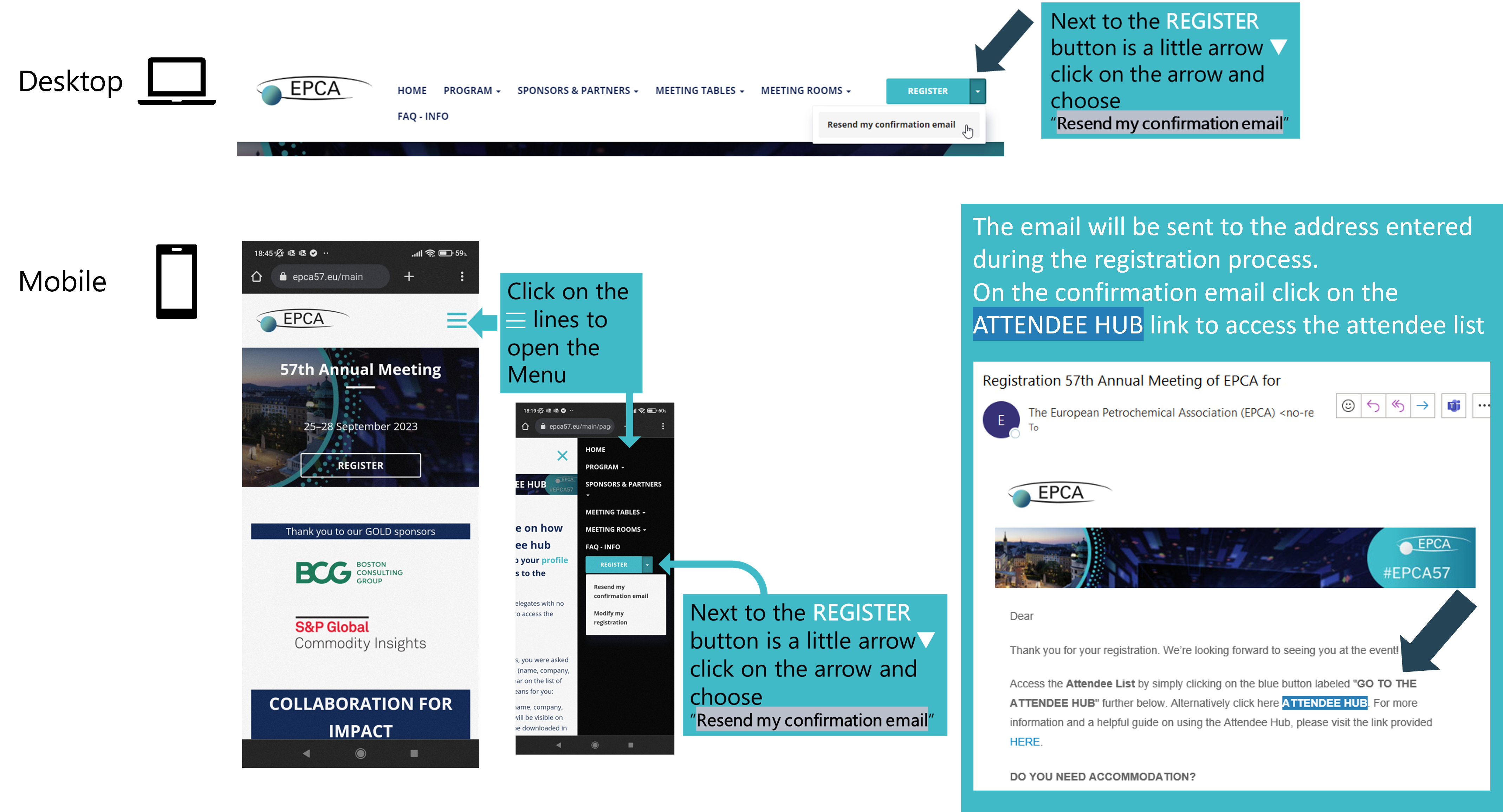
Attendee Hub
Use the link provided in the confirmation email or request a login link to your email by resending the confirmation email, see above.
Once signed in you will see the following:
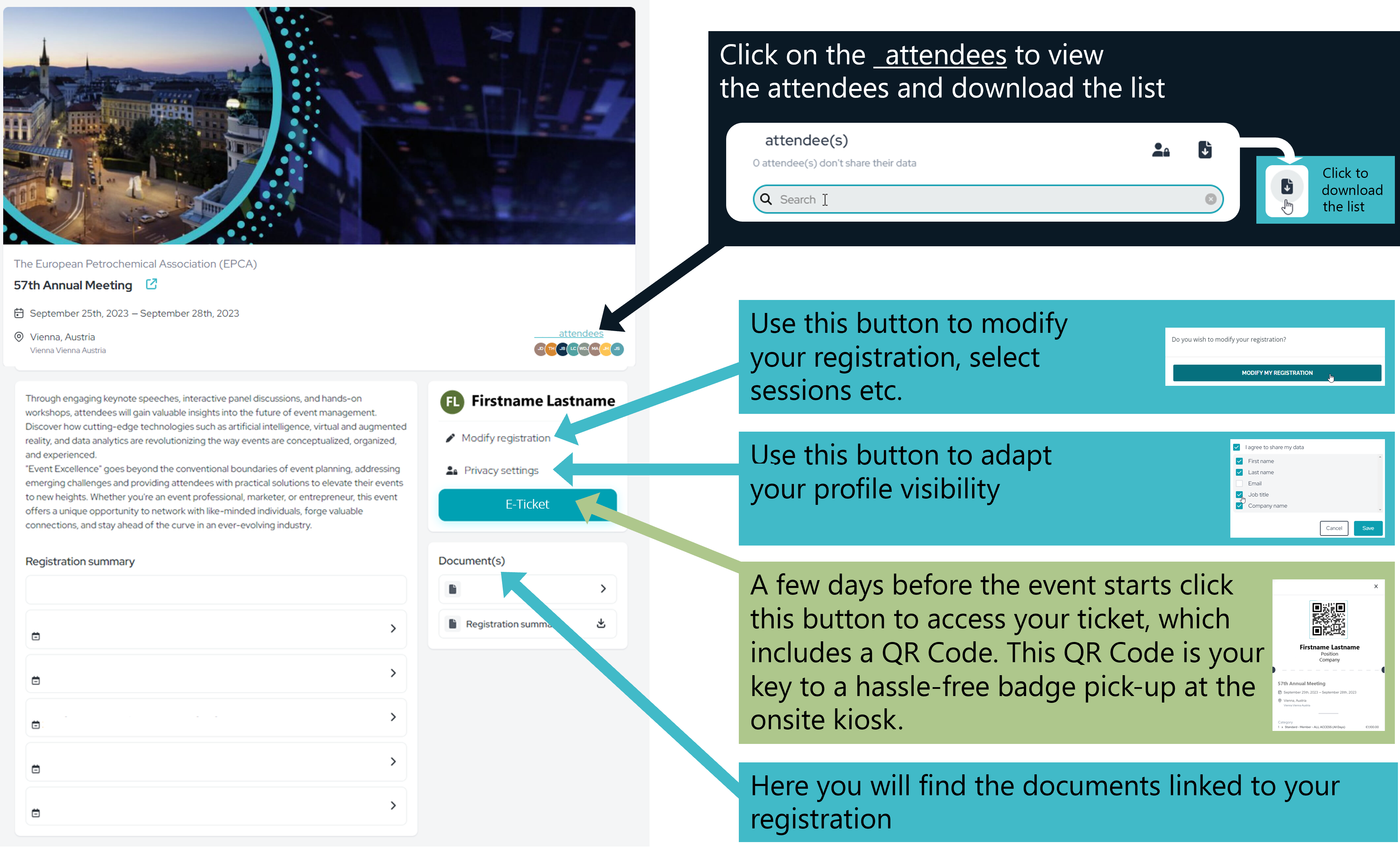
You will be able to click on the "Attendees" section to access a new page where you can search for a specific delegate and download the attendee list.
The attendee list is updated in real time as new delegates register. We recommend checking it regularly while registrations are open.
Note: You will only have visibility of delegates and their respective details they have agreed to share and given consent to share that information.
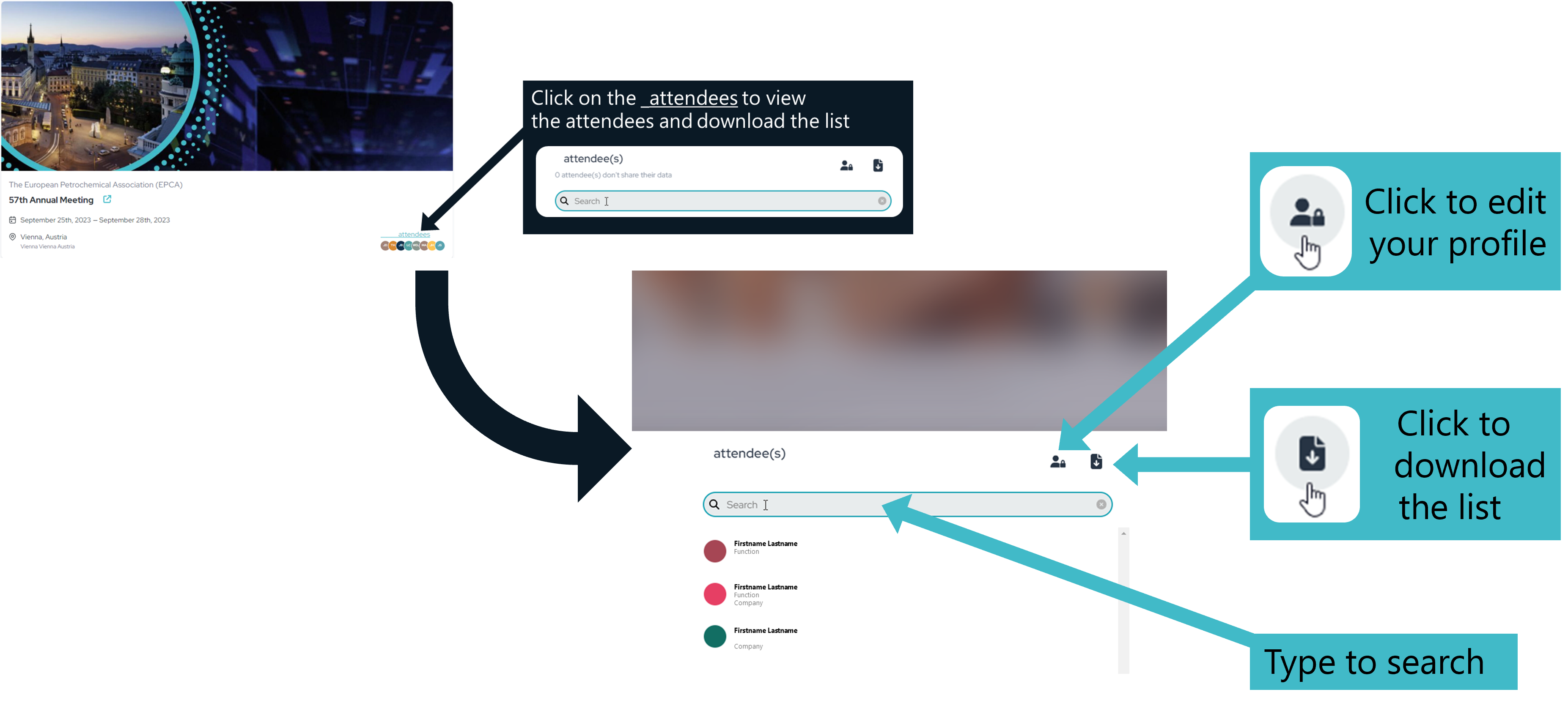
To navigate back to the attendee hub simply click anywhere on the blurred picture on the screen.
During the registration process, you were asked whether you wanted your details (name, company, job title, phone, email) to appear on the list of attendees. Here's what this means for you:
- If you selected "Yes," your name, company, job title, phone, and email will be visible on the attendee hub and can be downloaded in the delegate list.
- If you selected "No," none of your details will be displayed.
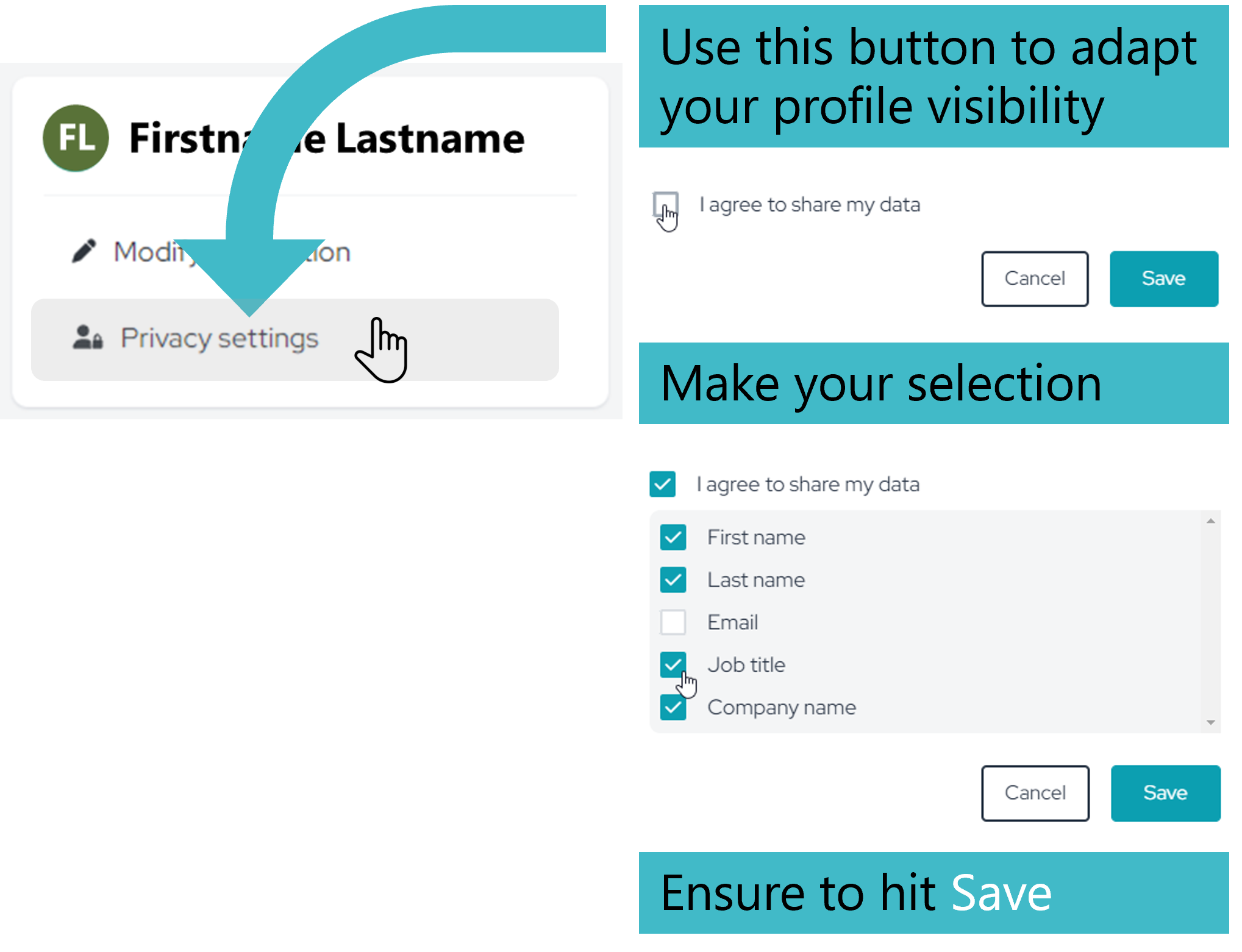
However, we would like to inform you that you now have the option to customize your selection in the Attendee Hub, here is how:
If you leave the box "o I agree to share my data" unticked none of your details will be displayed.
If you check the box "þ I agree to share my data" you can select which information is made visible to other attendees in both the online and downloadable list.
Most conference sessions will be available via live stream through the Attendee Hub for registered delegates who selected this option during registration. Most of these sessions will also be recorded, and the presentations will be made available on demand after the event for all registered delegates.
Please note, however, that sessions featuring high-profile speakers, including some EPCA sessions, such as the opening session and "Leadership in a Fractured World: Europe's Future), may only be streamed live during the event. Some speakers do not grant permission for their presentations to be live-streamed or recorded and made available afterwards, so these sessions may not be recorded, or may only be recorded in part. EPCA fully respects these decisions.
If you are interested in a particular session, we strongly recommend selecting the respective session option during registration and attending in person or watching live via the Attendee Hub, as recordings and presentations may not be available afterwards.
If you need to modify your registration details (e.g. session selections, name changes, etc.), please email meetings@epca.eu. The Attendee Hub does not allow direct self-editing of these details. Our team will process your request and implement the changes within 2–3 working days.
A few days prior to the event, as registered delegate with no outstanding dues you will receive an email that includes your unique participant QR code. Alternatively, log in to the Attendee Hub and click on the E-Ticket button, for your personalized QR code.
This QR Code is your key to a hassle-free badge pick-up at the onsite kiosk.
Simply present this code at one of the badge kiosks at a partnering hotel, a photo will be taken and the event badge will be printed and handed to you.
